


Tile Cutter Mini Montolit
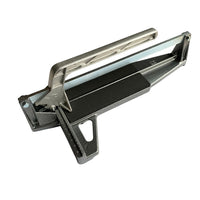
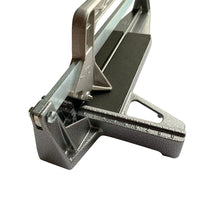
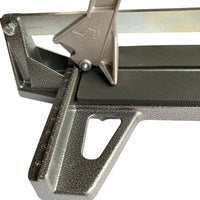
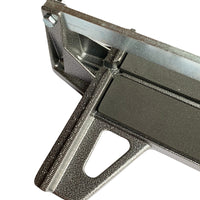
Mini Tile cutter Montolit MONT24
Cut ceramic and porcelain tiles easily and accurately to size with the Mini Montolit MONT24! This compact and lightweight tile cutter is ideal for smaller tile and mosaic projects. Thanks to its practical size, you can easily use it on your work table.
Compact and practical in use
The Mini Montolit is suitable for ceramics and porcelain up to 15 mm thick. You can make straight cuts up to 22 cm and diagonal cuts in tiles up to 15 × 15 cm.
The replaceable cutting wheel of tungsten carbide ensures an accurate incision. With the built-in break mechanism, you break the tile along the score line.
Thanks to the low weight of only 650 grams, the tile cutter is easy to move and store.
Characteristics
-
Brand: Montolit
-
Model: MONT24
-
Type: Manual mini tile cutter
-
Suitable materials: Ceramics and porcelain
-
Maximum cutting length: 22 cm
-
Diagonal cuts: Up to 15 × 15 cm
-
Maximum tile thickness: 15 mm
-
Cutting wheel: Replaceable tungsten carbide
-
Weight: Approximately 650 grams
Tip: Make the score line in one smooth motion and then use the break mechanism to break the tile neatly. Always wear safety glasses while working.
YOUR NEW PROJECT
WHAT ELSE DO YOU NEED?


Často kladené otázky
There are several ways you can pay safely online at Mosaicshop. You can choose the following options when you go to pay for your order at check out:
- Visa
- Mastercard
- PayPal
- Bancontact / Mister Cash
- Maestro
- KBC Online / CBC Online
- Belfius
- iDeal
- Giropay
- Sofort Bankig
- Klarna
- Bank Transfer
- Apple Pay
- Google Pay
- American Express
- Union Pay
- Shop Pay
- EPS
Once your order has been placed with MosaicShop, we will immediately send an order confirmation to your email. Should you not find our email in your inbox, don't forget to check your spam or junk folder.
MosaicShop proactively keeps you informed about the progress of your order. Email updates will inform you of each stage, from preparation to when your mosaic supplies have been dispatched.
Be sure to double-check the e-mail address provided: Make sure you have entered the correct e-mail address while placing your order. Also check that there are no typing errors.
Contact our customer service if you still have not received an order confirmation after completing the above steps, please contact our customer service. Please provide your order details, including the date and time of the order, so that we can help you further.


